If you have accidentally changed the WordPress Site address in General Settings and now cannot access your site, this post is for you.
Using FTP, open up the wp-config.php file found in the root of your website files, edit it with a notepad program,
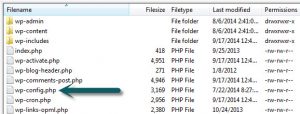
and paste these lines (with your site name) into it after the initial commenting:
define('WP_HOME', 'http://sitename.com');
define('WP_SITEURL', 'http://sitename.com');
Thats it! It will essentially hard code the two URLs into WordPress so it can no longer be changed via the UI.
Special Thanks: Blake Imeson
 Looking to setup an Auto Logon for Windows and not go through the standard registry hack that most IT people use? You also don’t want the password in clear text like the Reg Hack does?